What FLY does
Built around your body
Choose your organization and jurisdiction first. FLY then uses the right body type, the right number label — Lodge No., Chapter No., Temple No. — the right titles, and surfaces the occasions your body actually holds.
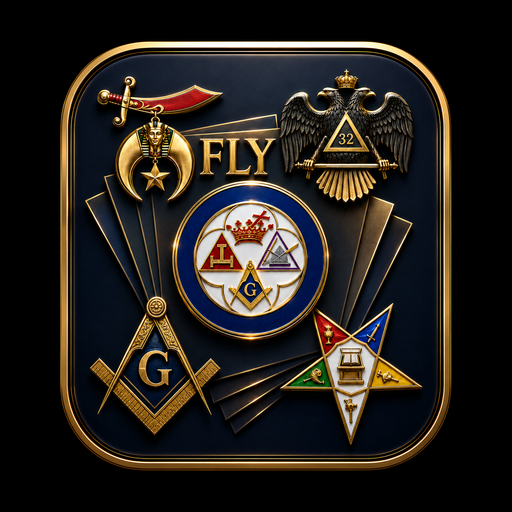
Jeweled fraternal emblems
Fourteen emblem libraries, led by the Signature set — deep-relief, gold-and-enamel jewels rendered in traditional heraldic colors. Plus Glossy 3D, Crest, Seal, Coin, Vintage, Deco and more, all recolorable.
A real layout workspace
Full canvas editing: type with shadows, outlines, gradients and curves; layer, align, lock, flip and nudge; import your own photos and logos; drop in clip art; set backgrounds and borders.
Background removal
Cut the background out of a photo right in the browser, or use an HD server-side cutout with your own remove.bg key. Drop a Worshipful Master's portrait straight onto the flyer.
AI that writes an editable flyer
Type your event details into the chat and FLY lays out a complete flyer — every headline, date line and emblem placed as a real editable object, not a flat picture. It can also generate custom emblems.
Autosave & save anywhere
Your work saves as you go. Save to Photos from your phone, or export PNG, JPG, SVG, PDF or a reopenable project file to your computer.
How it works
- Choose your organization and state. Prince Hall Affiliated, mainstream Grand Lodge, Shrine, Eastern Star, Scottish Rite, York Rite and more.
- Name the body. Enter the Lodge, Chapter, Temple or Court name and its number.
- Pick the occasion. Grand Session, Annual Communication, Potentate Ball, Imperial Session, Installation, Founder's Day, Repast, Masonic Funeral Service — or create your own from scratch.
- Design it. Start from a template or a blank canvas, add emblems, text and photos, or let the AI assistant draft it for you.
- Save and share. Save straight to Photos on your phone, or export a print-ready PDF for the printer.
Who it covers
- Prince Hall Blue Lodge (F.&A.M. / A.F.&A.M.)
- Mainstream Blue Lodge
- Prince Hall Grand Lodges
- Order of the Eastern Star (PHA & General Grand Chapter)
- A.E.A.O.N.M.S. (Shriners)
- Imperial Court, Daughters of Isis
- Shriners International
- United Supreme Council A.A.S.R. — Southern Jurisdiction
- United Supreme Council A.A.S.R. — Northern Jurisdiction
- Scottish Rite (SJ & NMJ)
- York Rite — Chapter, Council, Commandery
- Heroines of Jericho & Court of Cyrenes
- Order of the Golden Circle
- Knights Templar
- Grotto, Tall Cedars, Amaranth
- Youth orders — DeMolay, Job's Daughters, Rainbow
A standard we hold
Recognized bodies only. No clandestine organizations. Every organization in FLY is limited to bodies recognized by the Conference of Grand Masters Prince Hall Masons, their mainstream counterparts, or the recognized appendant and adoptive bodies chartered under them. Each entry lists the authority that recognizes it. Bogus, self-chartered and clandestine groups are not included and will not be added.
Details
Formats
PNG and JPG at 3× print resolution, scalable SVG, print-ready PDF, and a project file you can reopen and keep editing.
Sizes
Flyers, half and quarter sheets, A4, invitations, postcards, tickets, program covers, business cards, table tents, posters, yard signs, roll-up and vinyl banners, plus Instagram, Facebook, X and YouTube sizes.
Your keys, your data
The AI features are bring-your-own-key. Your Anthropic and remove.bg keys stay in your own browser, are sent only with your own requests, and are never stored on any server.
Trademarks
Emblems shipped with FLY are public-domain fraternal devices drawn for this app. Official trademarked crests and seals remain the property of their bodies and are added by upload, by the body itself.